Public Race Pages & Live Dashboard
Every race gets a public page with registration, results, and an optional live spectator dashboard.
Public race page
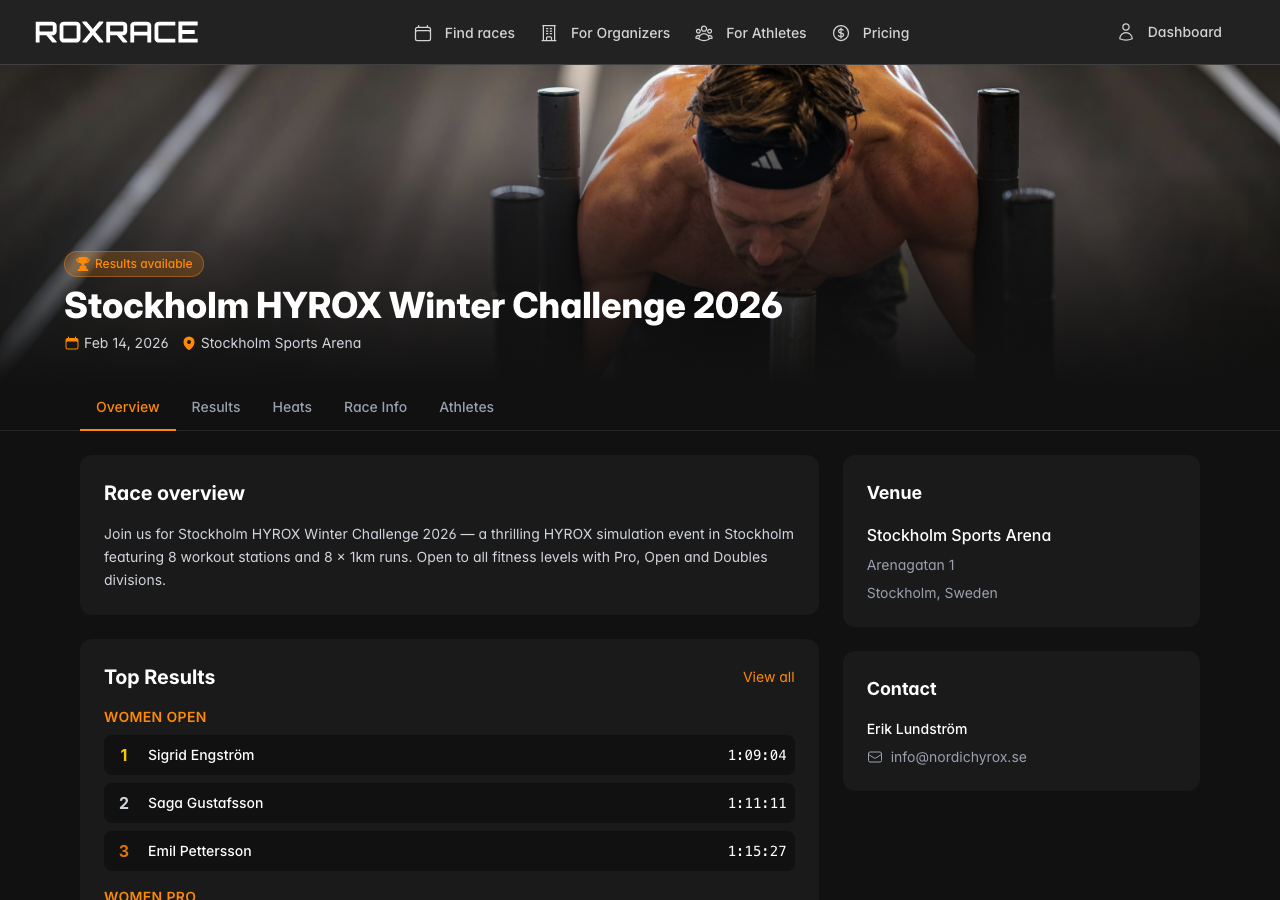
Every published race gets its own page on roxrace.com with:
- Overview — Race description, banner image, media gallery, race info (venue, rulebook, terms, and contact info), and a registration card with divisions, pricing, and available spots
- Startlist — Registered athletes with bib numbers and heat assignments
- Heats — All heats with participant lists and start times
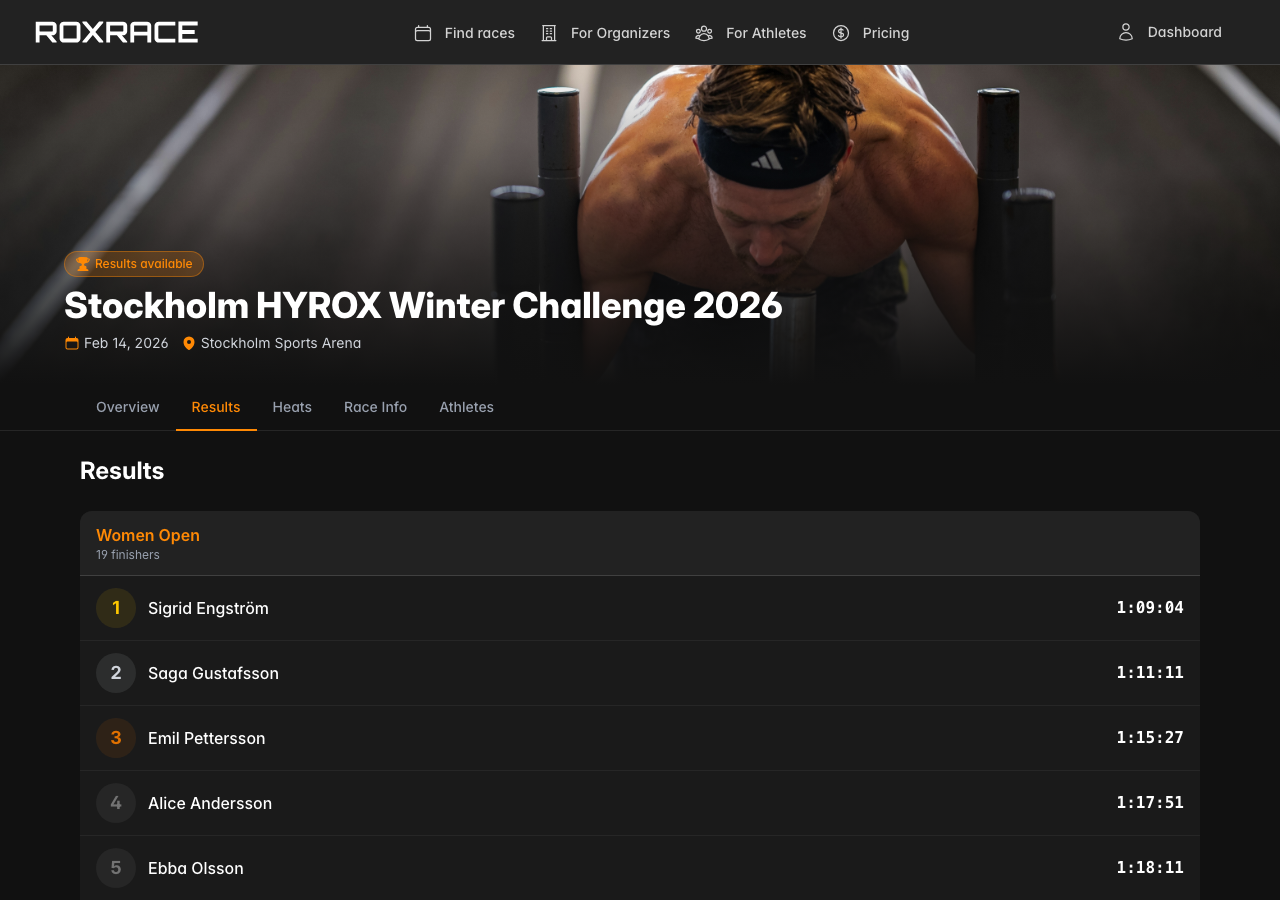
- Results — Full leaderboards by division with times and penalties; tap an athlete to expand their station splits when the race has them
- Statistics — For HYROX Simulation races with results: summary cards, division breakdown, and time distribution chart (see Race Statistics & Time Distribution)
The Results tab is always shown and fills in as results come in. The Startlist and Heats tabs only show their content once you turn on Startlist & heats published (see Publishing & Public URLs), and they're hidden once the race is over.
On race day, while heats are still to start or athletes are out on the course, three live tabs appear as well:
- Upcoming Heats — The next heats with their athletes and start times
- On Course — Athletes who have started and haven't finished yet
- Finishes — The latest finishes as they happen
Athletes and spectators can find your race through search and filters on the RoxRace homepage.
Live spectator dashboard
The live dashboard is a real-time, full-screen view designed for:
- Big screens at the venue — Show live leaderboards and upcoming heats
- Remote spectators — Anyone can follow along from their phone
- Race commentators — See finishers and standings as they happen
Find it under Race Management → Public → Live dashboard, where you can copy the URL or click Open Dashboard. Turn on Public access there (or Live dashboard public on the Public URLs page) to let anyone with the link view it. While it's off, only members of your organization can open the dashboard.
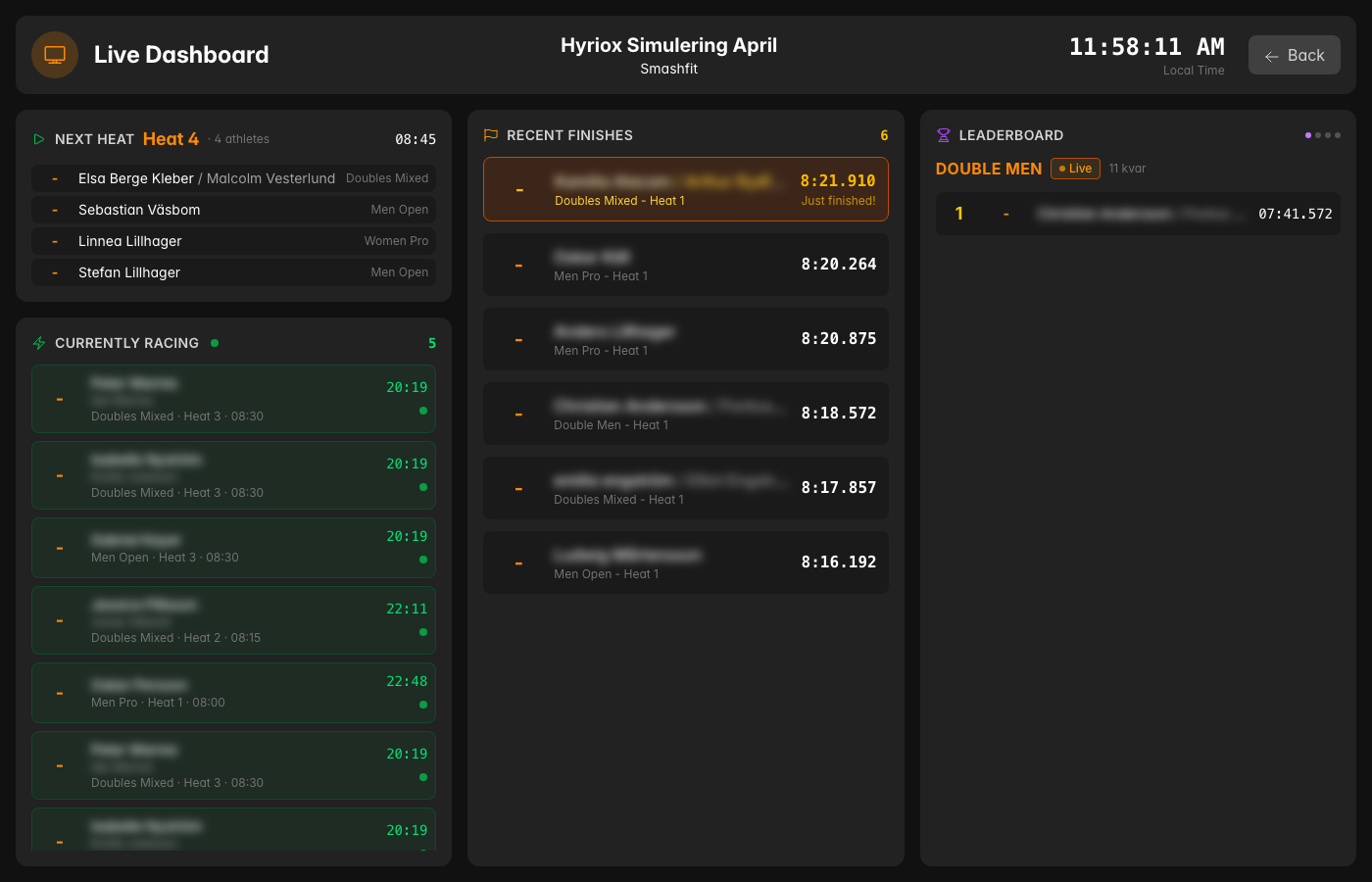
The dashboard updates automatically every few seconds and shows:
- Starting soon — The next heat's start list with a countdown and a "Report to the start area" cue in the last 10 minutes, plus the heats after it. If you use check-in, each athlete shows whether they're checked in.
- Leaderboard — Per-division rankings with times, penalties, and the gap to the leader
- On course — A strip of athletes still out on the course, per heat
- Just finished — A ticker of the latest finishes with their placing
Screen settings
Move the mouse or tap the screen to show the Screen settings button. Settings are saved on that screen:
- Size — 1–10, from small (4K wall) to large (far-away TV)
- Show — Full, Up next (starting soon, on course, and just finished), Leaders, or Finishes (a full-height list of finishes)
- Cycle divisions — Pages through the leaderboard and moves on to the next division every 8 seconds
Keyboard shortcuts: + / − for size, 1–4 to switch view, F for fullscreen.
Focused screen URLs
For dedicated screens, the Live dashboard page also lists focused URLs that open straight into one view: /live/{race}/s and /live/{race}/c open Up next, /live/{race}/l opens the Leaderboard, and /live/{race}/f opens Finishes. A focused URL always opens in its own view, whatever was last chosen on that screen.
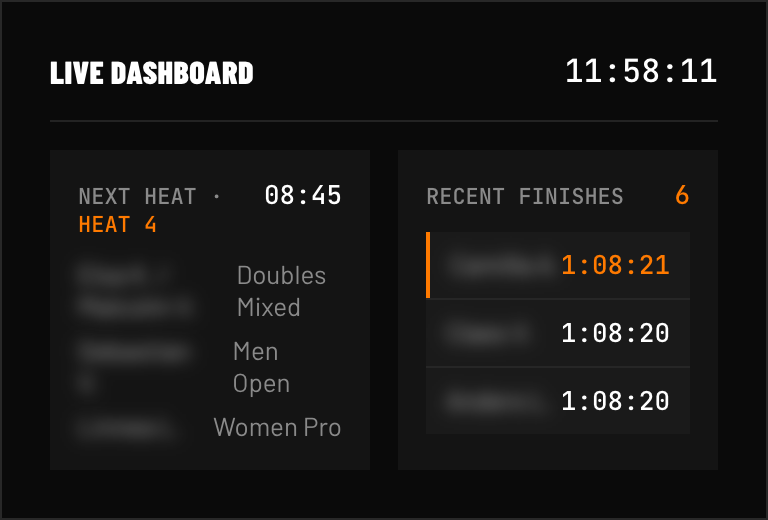 FIG 1 — Venue dashboard: next heat left, finishes stream in on the right.